Symphony

My personal coding agent. I give it a task, follow the work in my terminal, and review the changes. It connects to editors through ACP, too.
Built in Python, with a composable agent harness underneath. The terminal is one way into the same loop: models, tools, events, and a conversation that carries on.
A TASK, IN THE TERMINAL
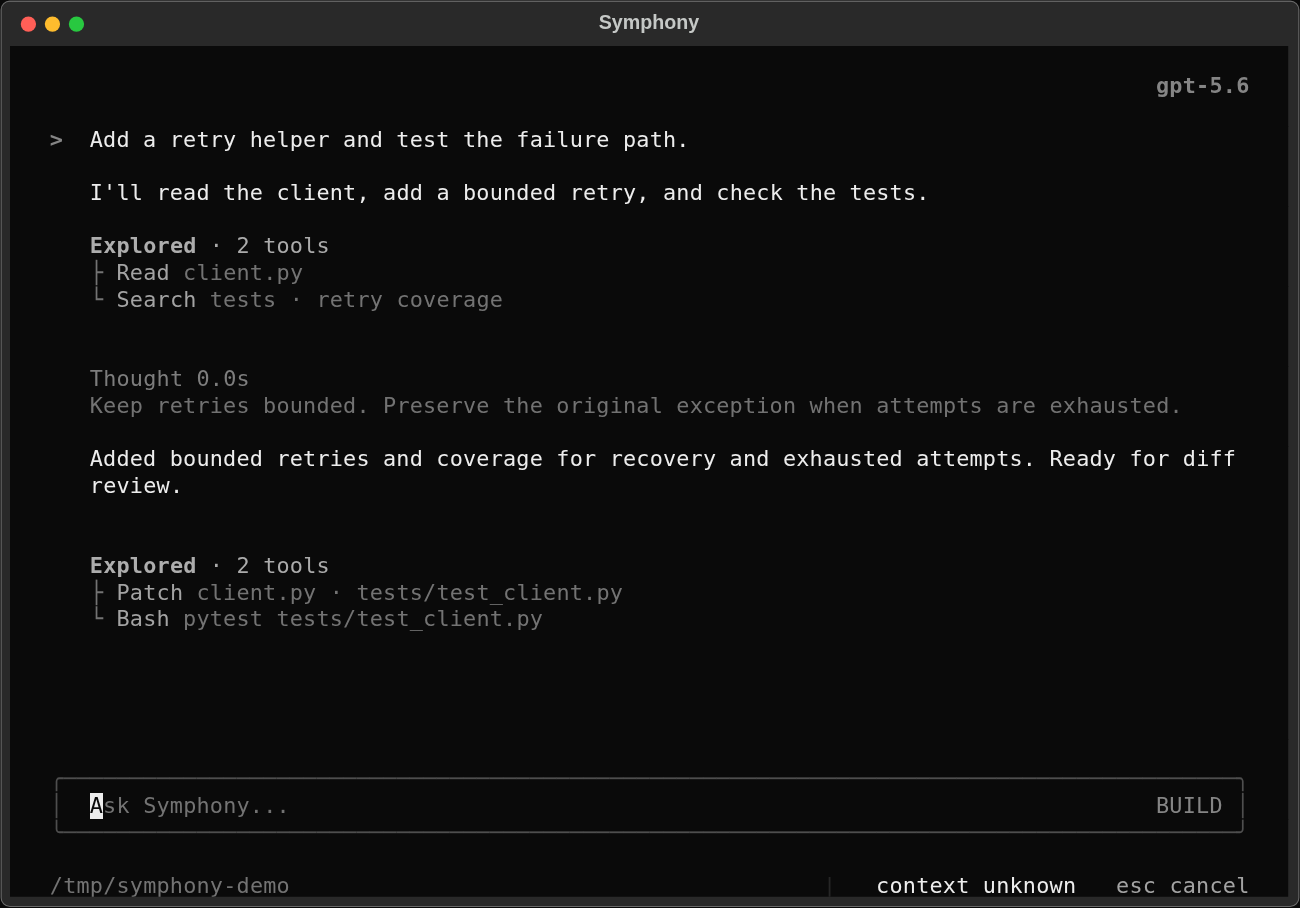
The conversation stays at the center. Tool calls sit alongside the response, so I can see what was read, what changed, and what ran without leaving the task.
A CLOSER LOOK
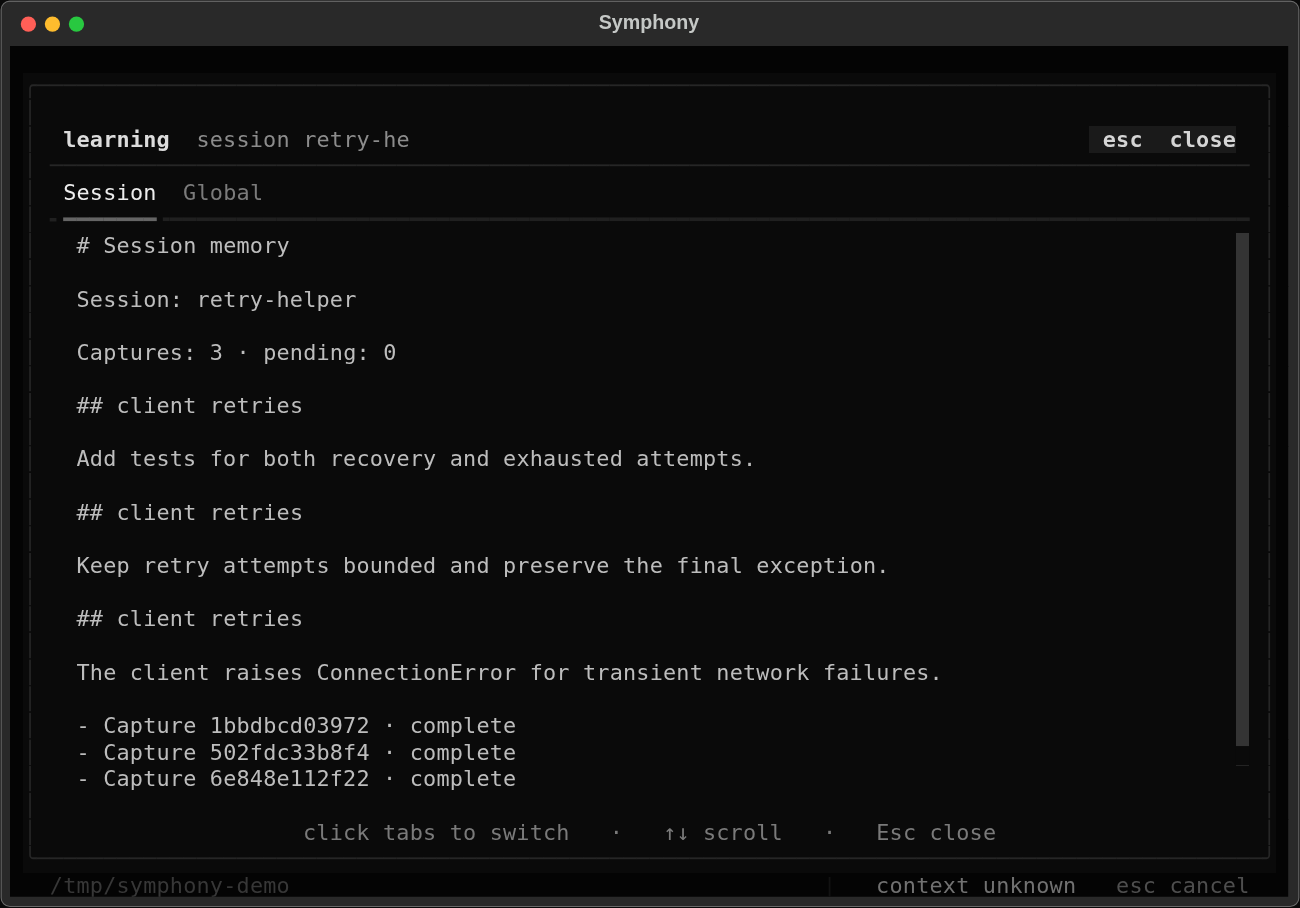
Review a diff, inspect what the agent remembers, follow delegated tasks, switch models, or extend the agent with add-ons. A few of the views I keep within reach.
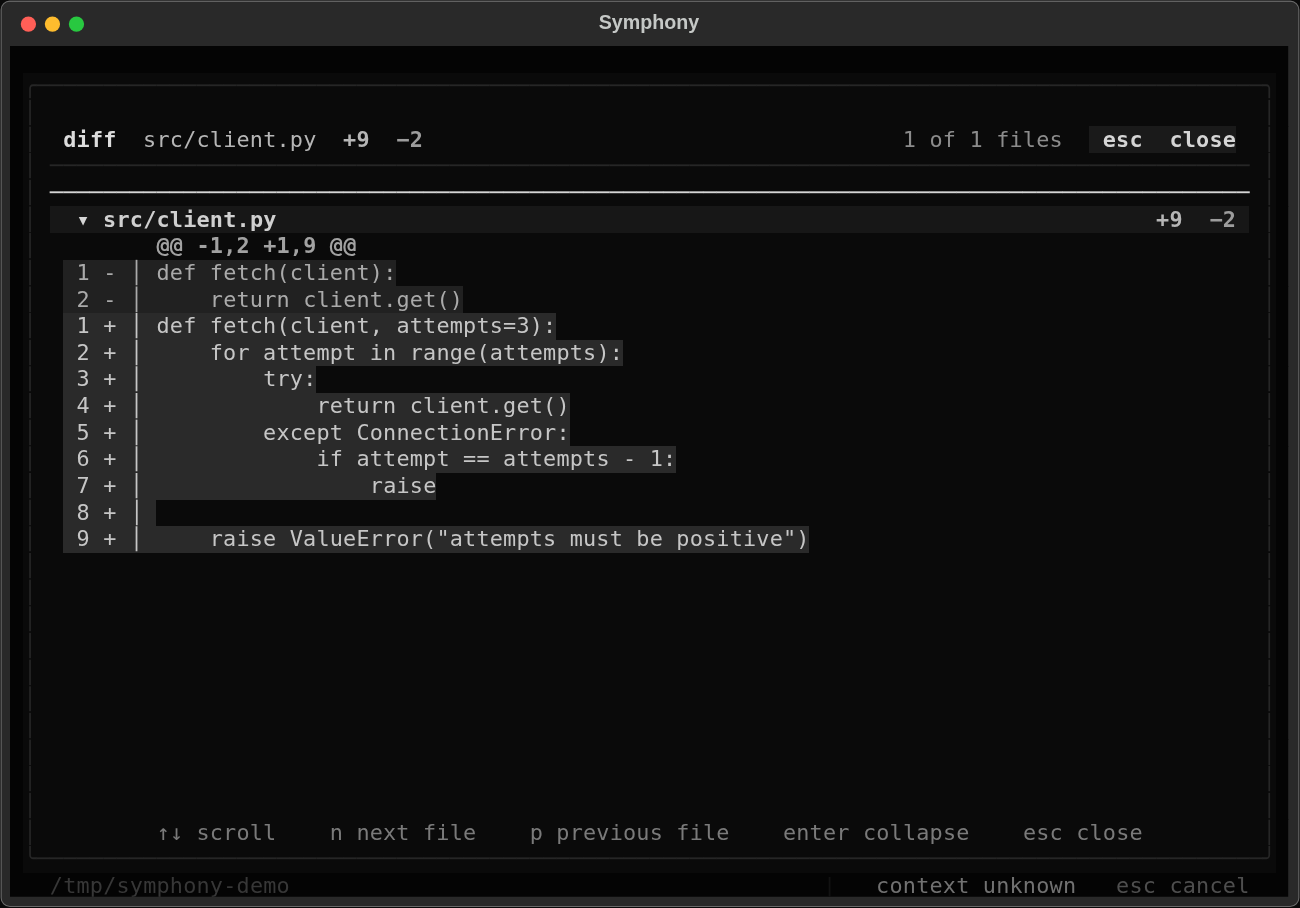
/diffReview the changes
Inspect the workspace diff, move between files, and see exactly what changed.
HOW IT WORKS
Symphony Code supplies the workspace tools and session behavior. The harness runs the turn loop; the provider layer handles the model. Typed events bring the work back to whichever interface I am using.

I kept the harness independent of files and terminals. It can power other agents, a browser workflow, or an HTTP interface without carrying the coding UI along.
BUILD YOUR OWN AGENT
The base harness is useful on its own. Give it a model, a prompt, and a set of Python tools. It handles the turn loop, tool dispatch, streaming events, cancellation, and run limits.
This agent can read a file and summarize it. Run it in the installed Symphony workspace with a configured provider; register only the tools your agent needs. Harness guide ↗
IN YOUR EDITOR, THROUGH ACP
The same coding agent, next to your code. ACP streams replies, tool activity, and permission requests between Symphony and your editor.
Add a custom agent in Zed's Agent Settings, then merge this entry into settings.json. Select Symphony in the Agent Panel to start a thread.
Install Symphony and configure its provider first. Replace the absolute executable path with your checkout's path and merge the JSON with your existing settings. The editor supplies the project directory when it starts a session.
TRY IT
Open source, MIT licensed. Run it from source with Python 3.11+, uv, and a supported model provider. The first launch guides provider setup.